
Making Room for Cricut Explore
For those of you excited about the new Cricut Explore, see my post about the new machine HERE, you may be trying to figure out how the new machine size compares to the other Cricut machines. I created a handy chart to share with you. It compares the machines in the Cricut line that cut up to 24″.
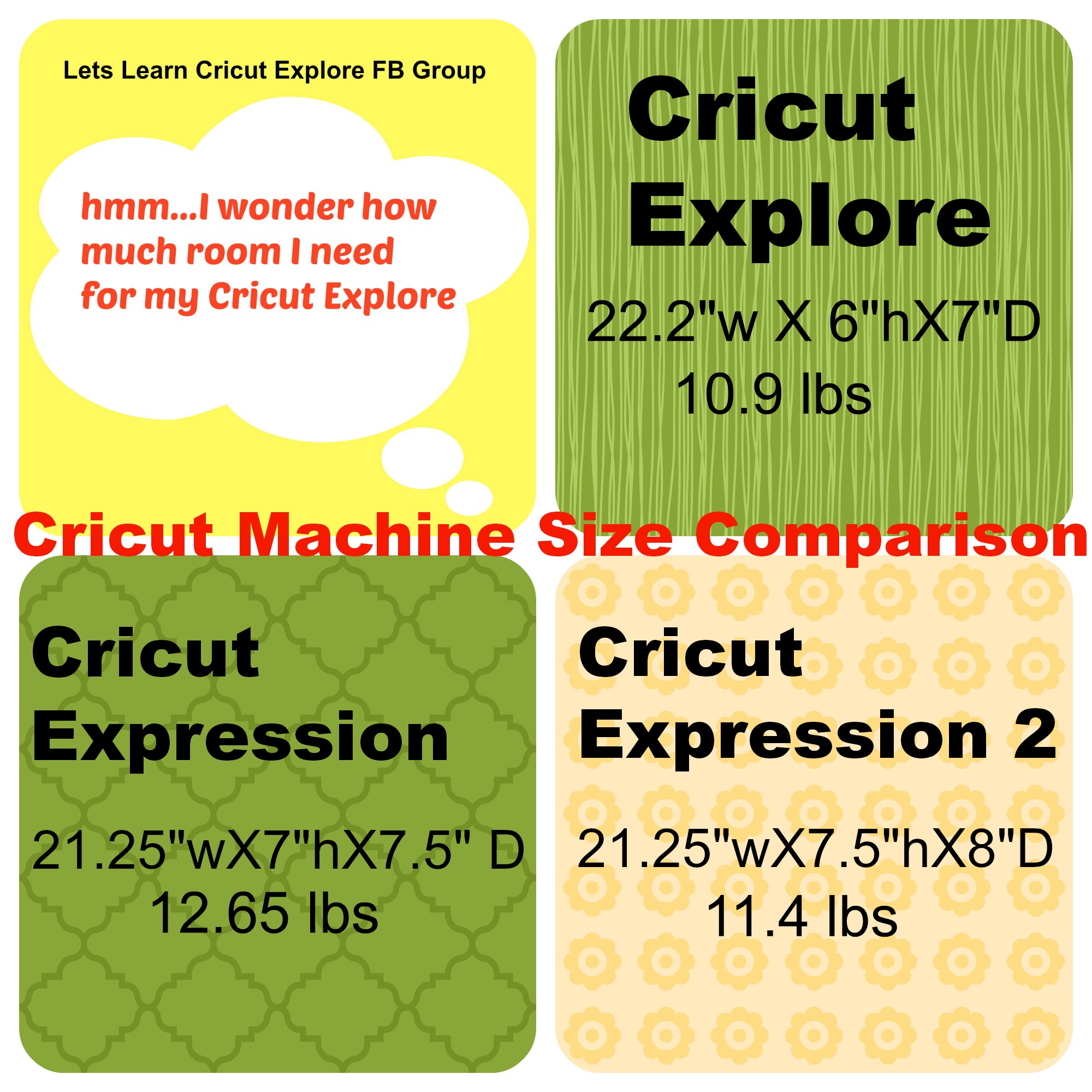 Since the Cricut Explore will require that I have three things to use it and to access the new Design Space online software:
- electrical power
- internet access
- and use of a computer
I needed to make room in my Craft Studio (click on link to see photos) by moving around some things to make room. So, I moved my beloved old faithful Cricut Expression to a new spot (dont worry she will still be used) and that left a perfect spot for my new Cricut Explore right next to my Silhouette Cameo. Now I can use both easily with my computer. Luckily we already have wireless access to the internet in our house so I am all set.
 This is my die cut machine table that forms an “L” with my large craft table where I have my laptop and do my crafting. It works perfectly for me. Have you made room for your new Cricut Explore machine yet?
My Cricut Explore machine is coming any day. I will be posting more about it so stay tuned.
By the way, I am the admin over at Lets Learn Cricut Explore Facebook Group (cli9ck link to go there) and would love for you to join us over there as we all learn how to use our Cricut Explore machines and have some fun !

All my comments are my own opinions on those products. I appreciate your support when you purchase using the post links.
Sheila
I made space for my new Explorer also. I have a shelf that stands tall and it will be on the top shelf over top of my Cricut Expression2.