
Cricut Explore Updates
Its time to prep your Cricut Explore machine and Design Space to get ready for the NEW Print Then Cut Feature coming out the week of September 22nd.
You will need to do the following updates so your machine is ready when the Print Then Cut Feature is released:
- Plug In Update – that is the software part for Design Space
- Firmware Update – that is the hardware part for Cricut Explore Machine
Do the Plug In Update first and then the Firmware Update. Please Note: You will not see any difference yet in Design Space until AFTER Cricut releases Print Then Cut the week of September 22nd.
Tip: Make sure you use the USB cable from Cricut Explore to your computer for the Firmware update.
Don’t know what to do? I made a video to show you just how simple this process can be.
If all goes well, it should only take less than 5 minutes to do both update. Cricut Explore walks you through the process through a series of prompts once you get started.
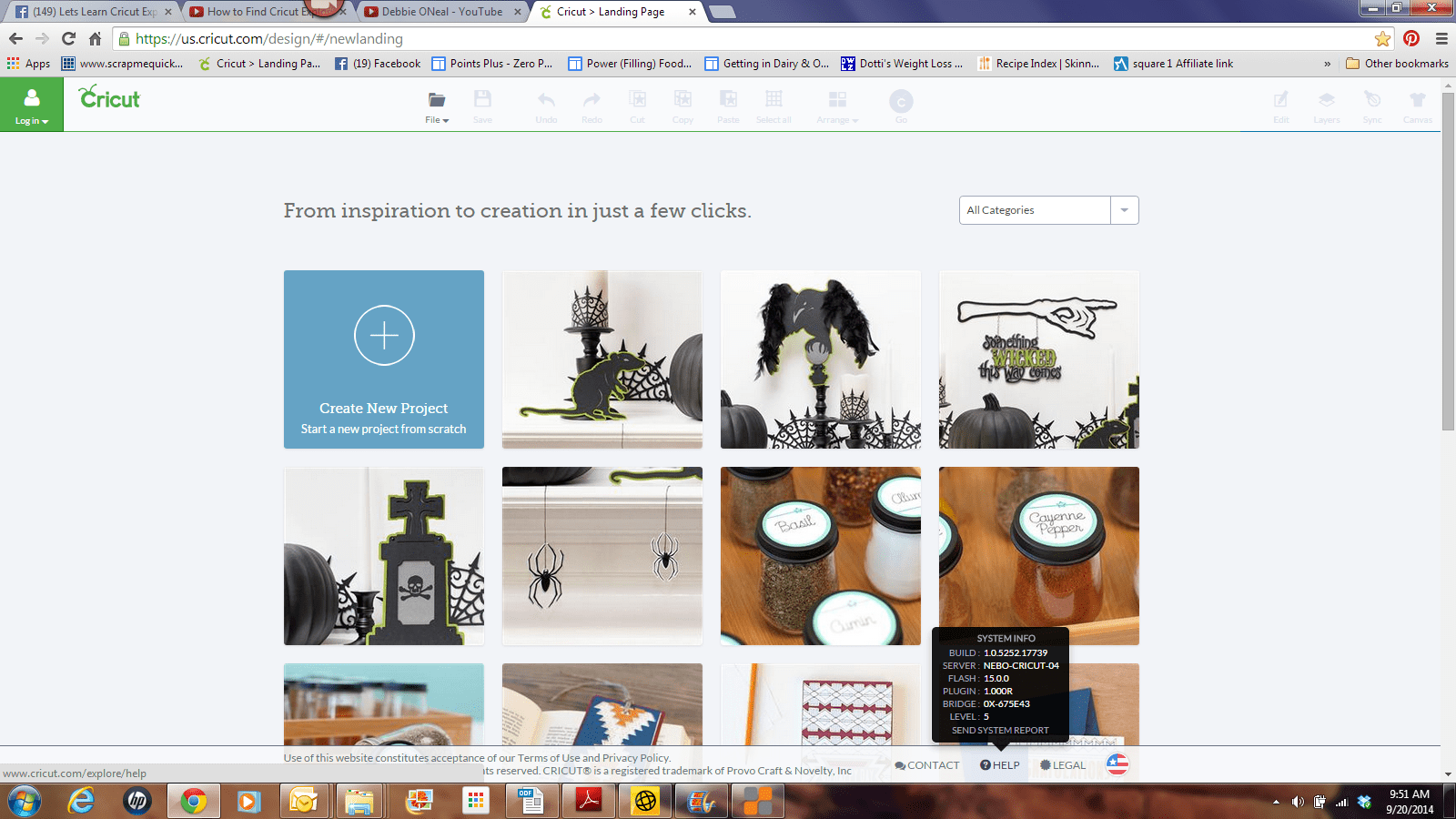
You are able to check if the Plug In is loaded by logging in to Cricut Design Space, going to bottom of the screen and hovering over the HELP link on bottom menu. This will open up a black box. Look for the PLUG IN: 1000.R. That is the most current update as of now. If you don’t see that version listed, then try and re-start Design Space and do the Plug In again.
If you have any problems getting your updates done, call Cricut Support @ 1-877-727-4288
I will be posting more on Print Then Cut Feature so stay tuned !

All my comments are my own opinions on those products. I appreciate your support when you purchase using the post links.